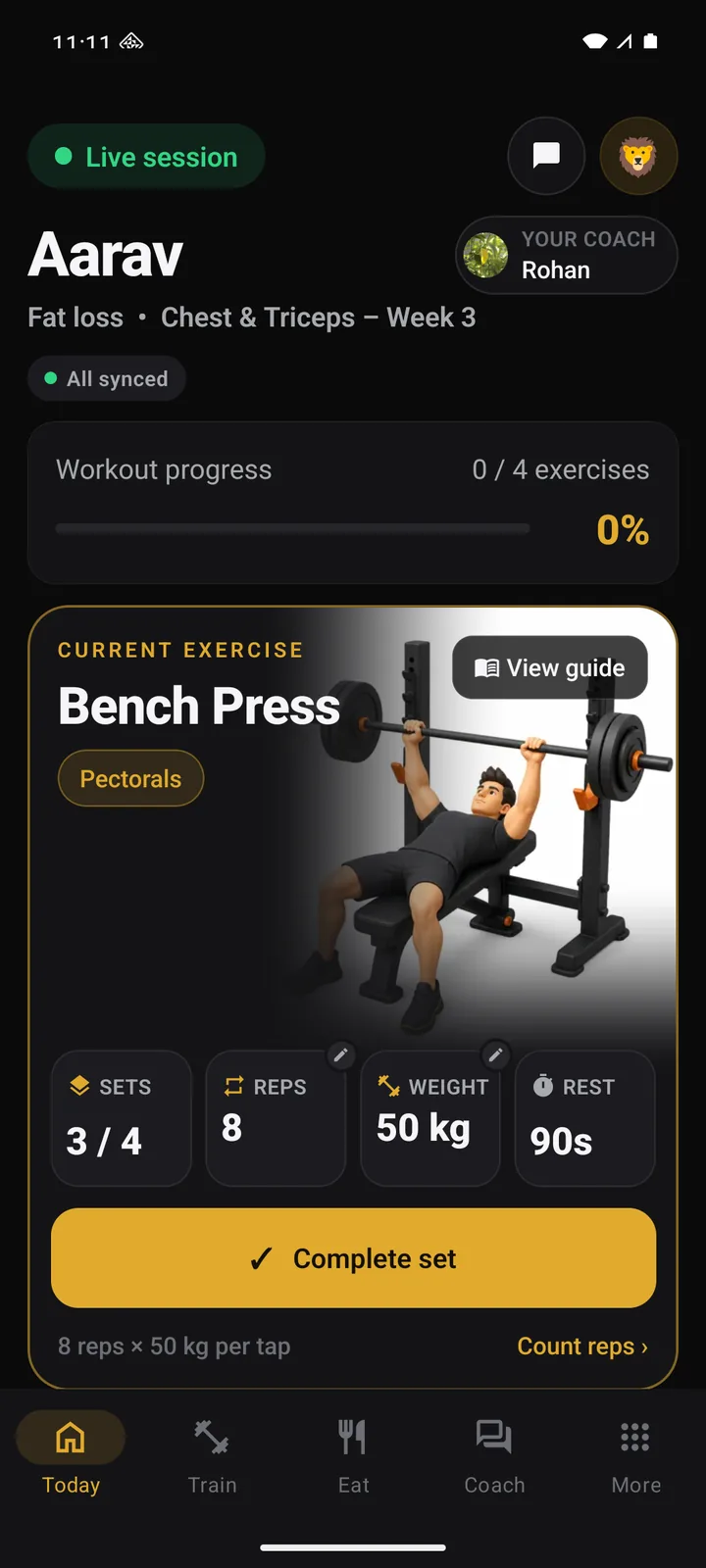
A real coach. A plan for today. Logged, even offline.
Max Guru connects you with a coach at your gym, puts their week on your phone and keeps every set, meal and weigh-in when the gym has no signal. It syncs when you are back. Pay with eSewa or at the desk.
iPhone, Android and the web. Already a member? Sign in.
What is on your phone
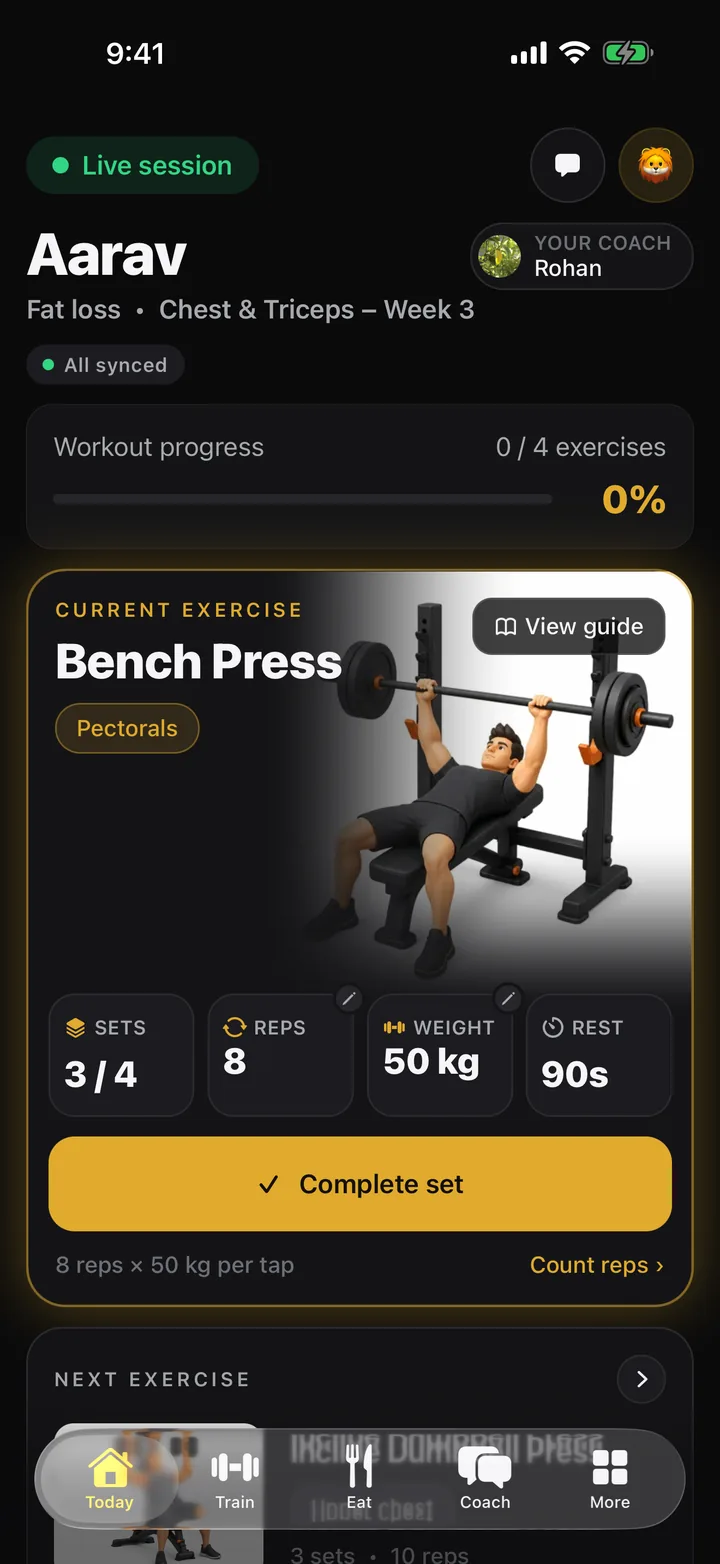
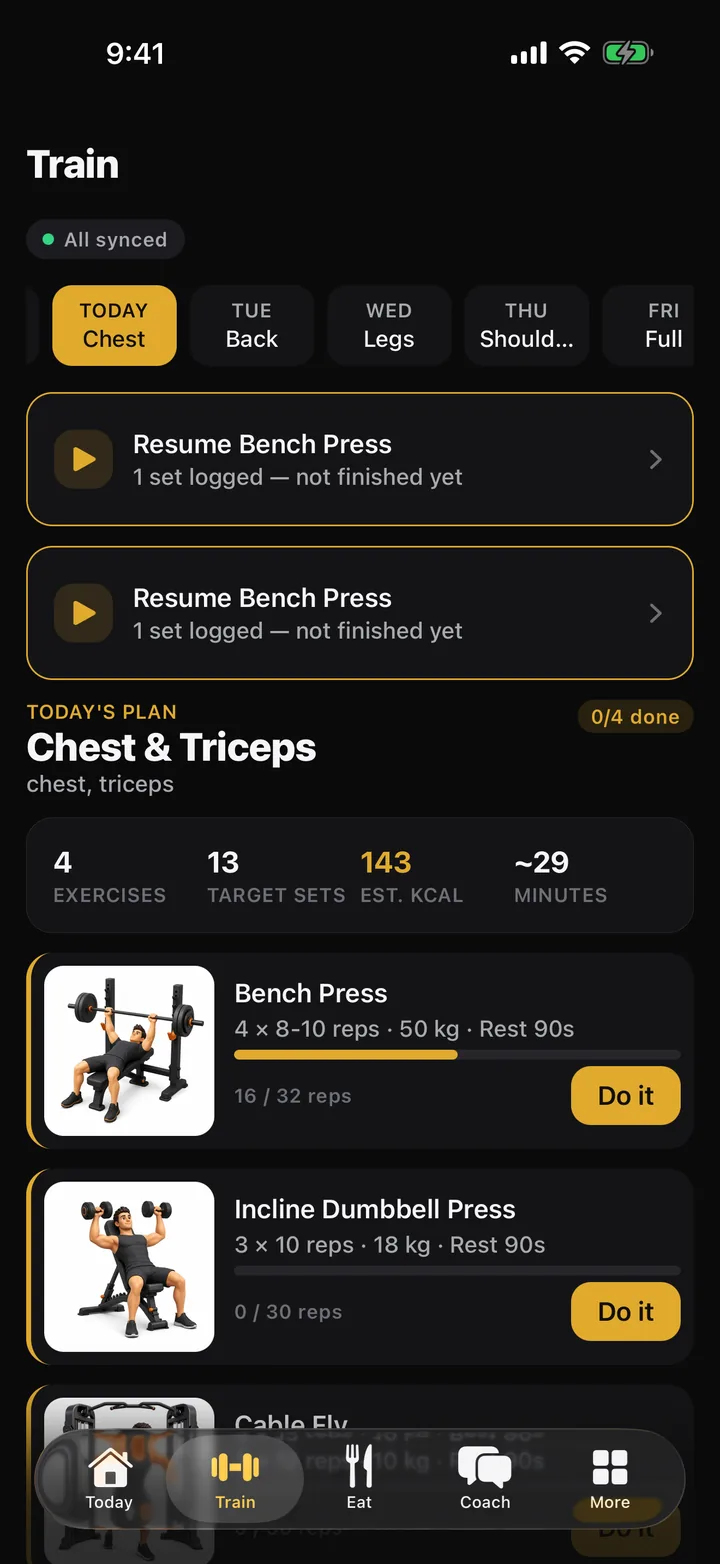
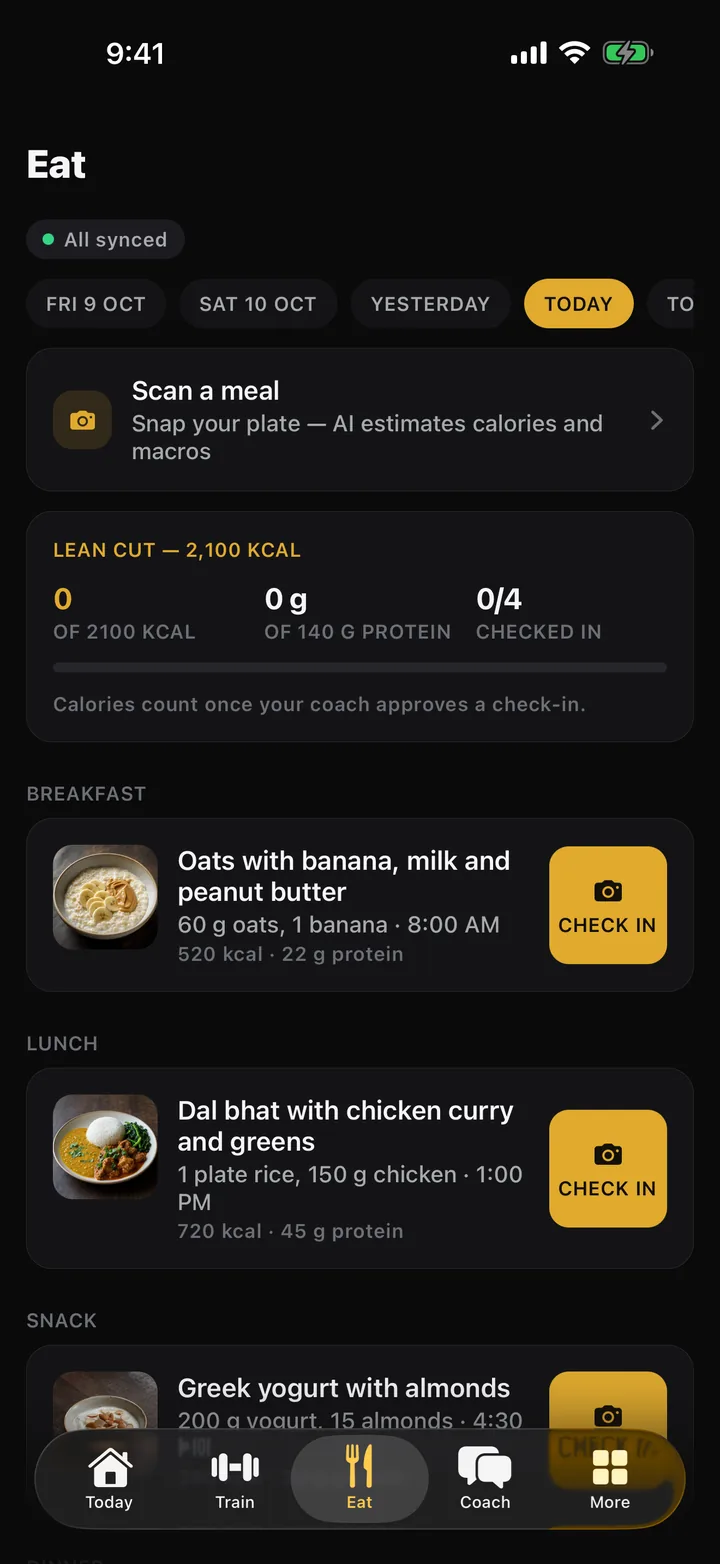
Five tabs, no menus to hunt through. Today is the workout your coach set. Train, Eat and Coach are the rest of the week. More is your body, your history and your plan.
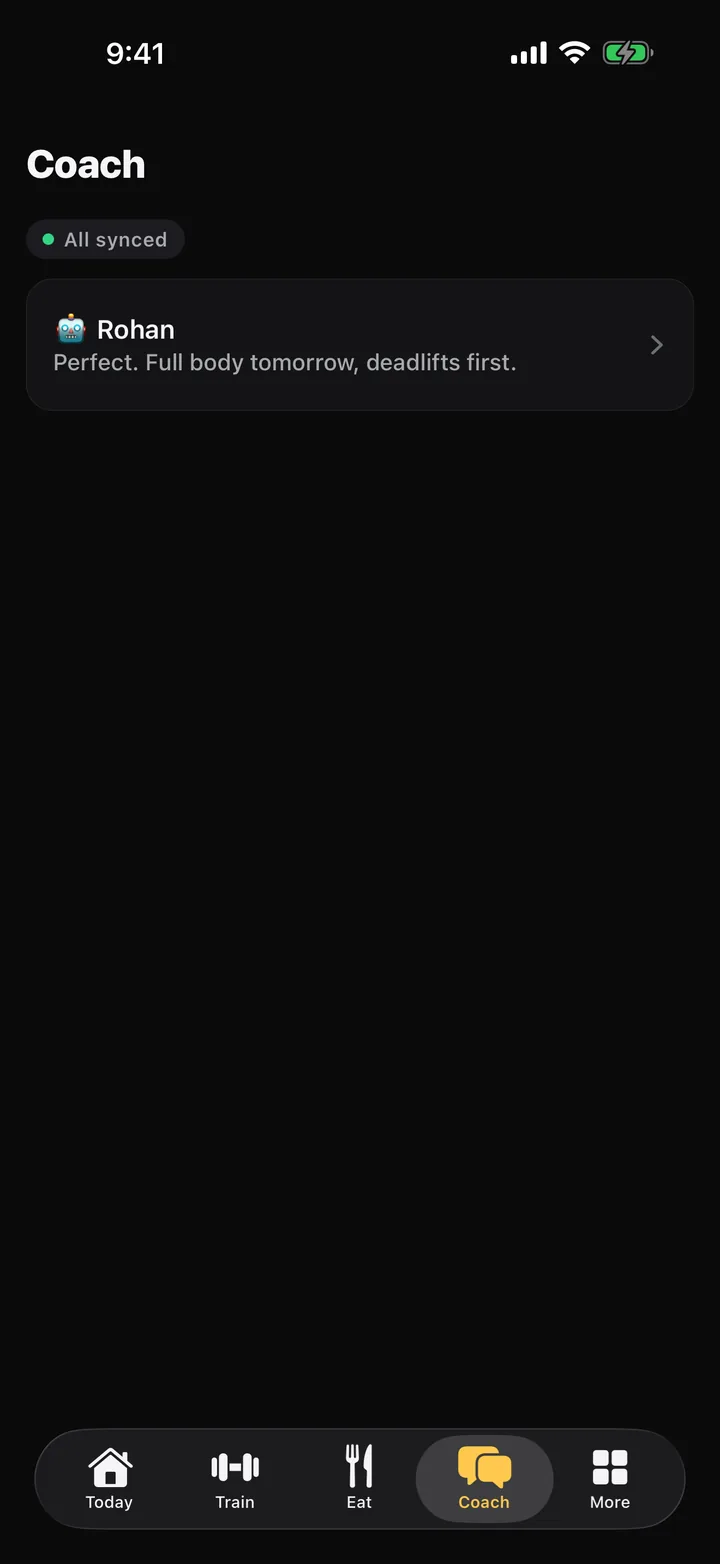
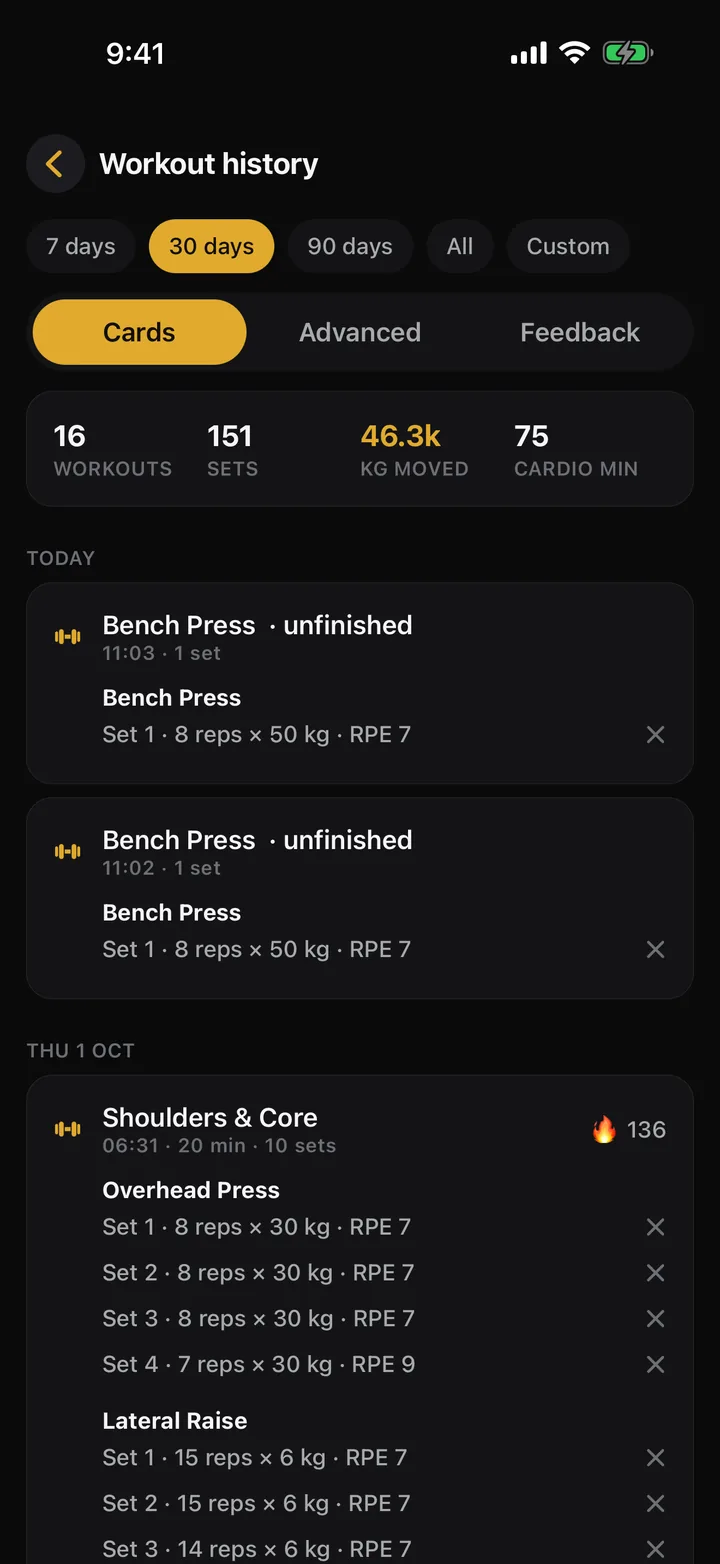
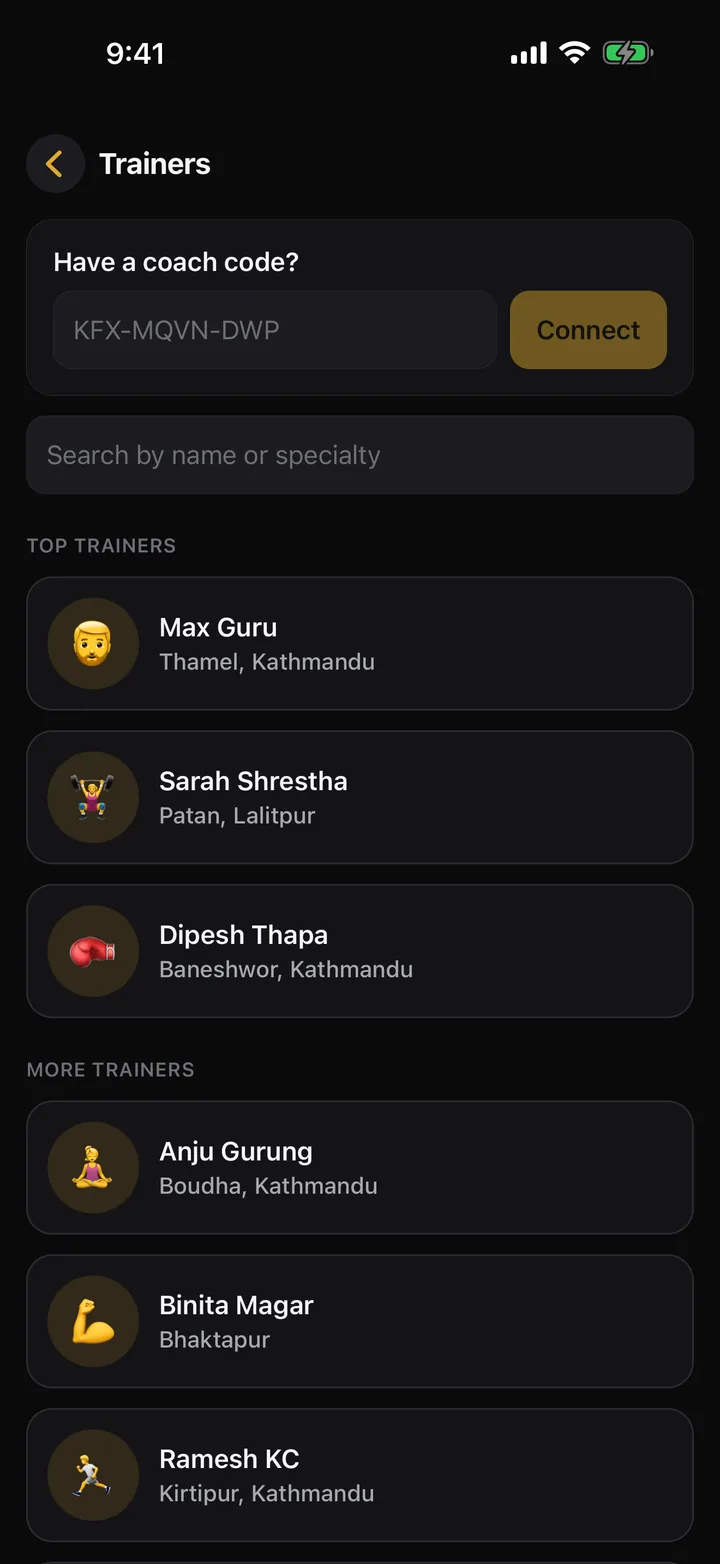
A week with a coach
The order matters, which is why these are numbered. Nothing here needs you to be online at the gym.
1
Your coach builds the week
Sunday to Saturday, sets, reps, weights and rest, from the exercise library or their own demo videos. A meal plan with calorie and protein targets sits next to it.
2
You train and tap
One tap per set. Count reps with the camera if you want. No signal in the basement? It is saved on the phone and syncs on the way out.
3
Meals get checked in
Photograph the plate for an estimate, or check in a planned meal. Calories count once your coach approves, so the numbers are honest.
4
You both see the trend
Weight, steps, sleep, volume and streaks on your side. On your coach's side, whether you are on track this week and why.
Made for the gym floor
Sweaty hands, one-handed, bad reception. The app is built around that, and the same app ships on iPhone and Android.
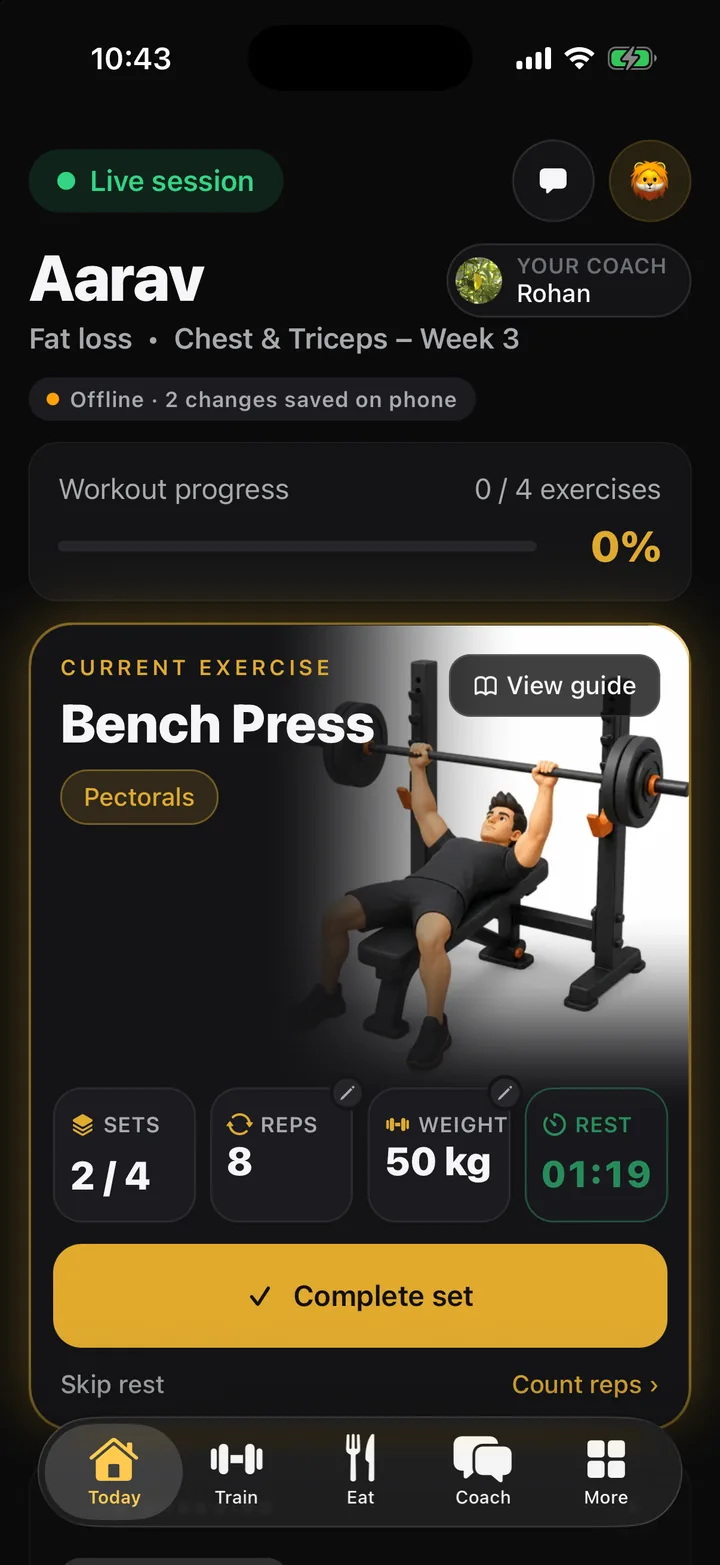
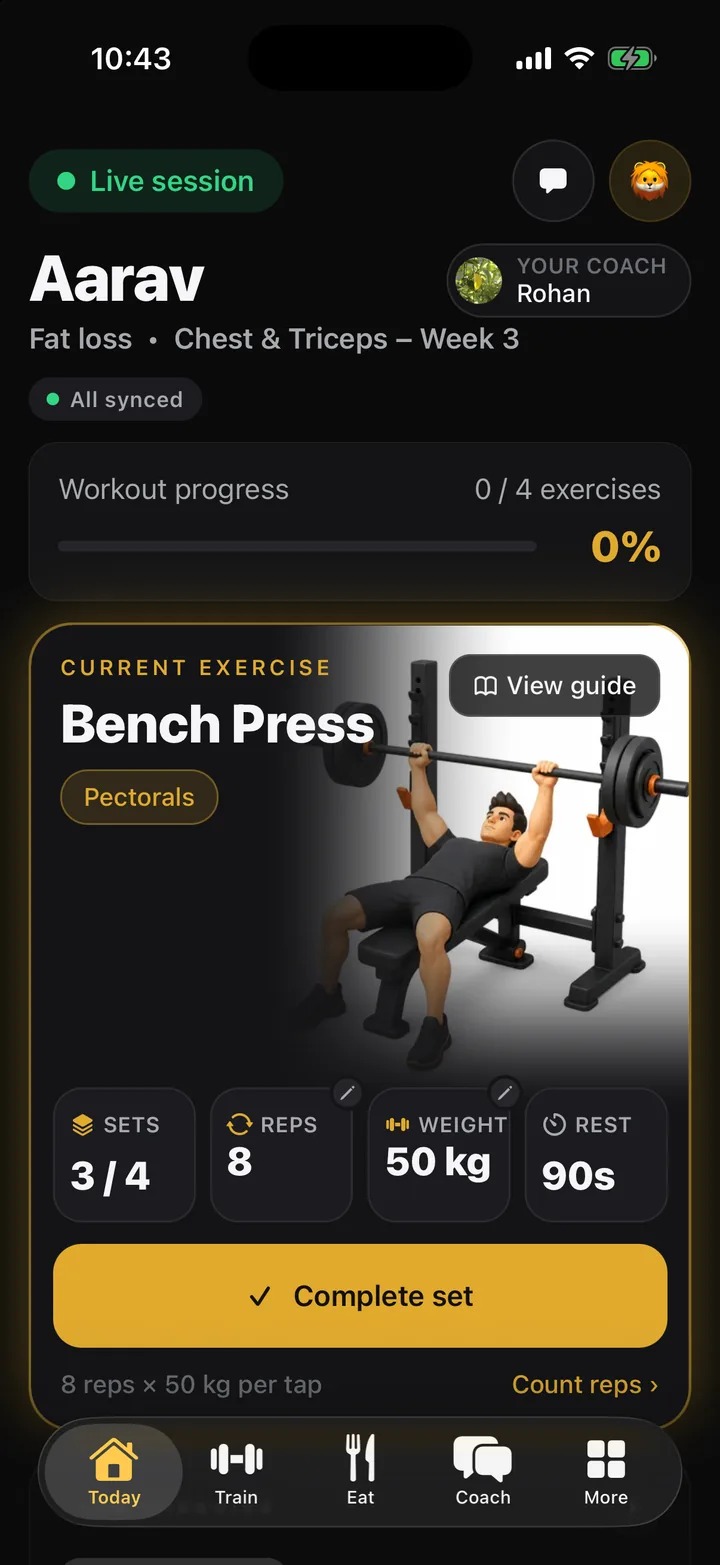
- Works without signal
- Sets, meals and weigh-ins save on the phone first and sync when a connection returns. Your coach sees it minutes later, not never.
- Rep counter
- Point the camera at yourself and the app counts the reps for the set you are on.
- Meal scan
- One photo gives an estimate of calories, protein, carbs and fat. Your coach's approval makes it count.
- Health sync
- Steps, workouts, sleep and weight from Apple Health on iPhone and Health Connect on Android.
- Home-screen widgets
- Today's workout and today's meals on the home screen, on both platforms.
- Calls and live sessions
- Video calls with your coach and live classes, inside the app.
- Form guides
- Every exercise in the library opens a guide. Coaches can attach their own demo videos.
- Nepal first
- Prices in NPR. eSewa pays app to app, and the front desk is always an option.
Coaching is a business here
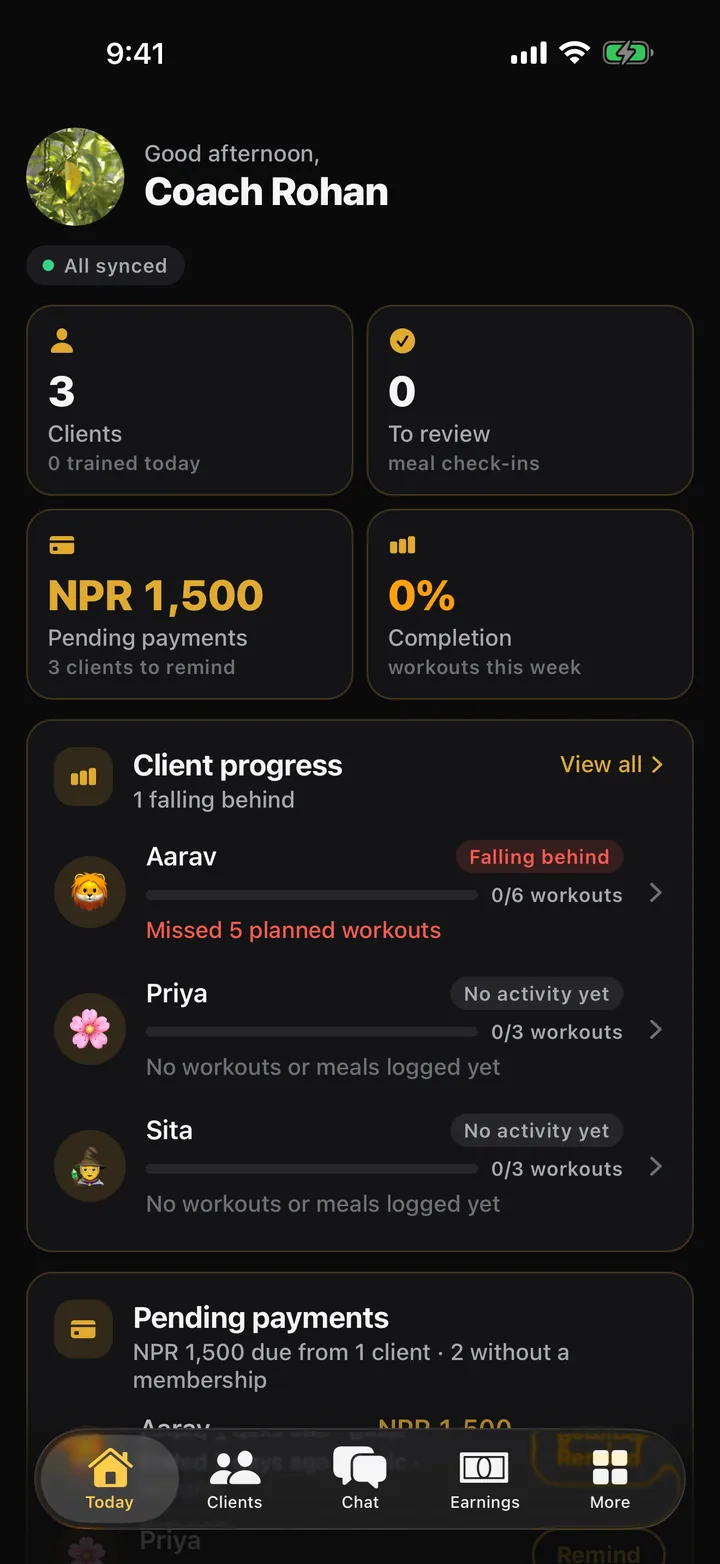
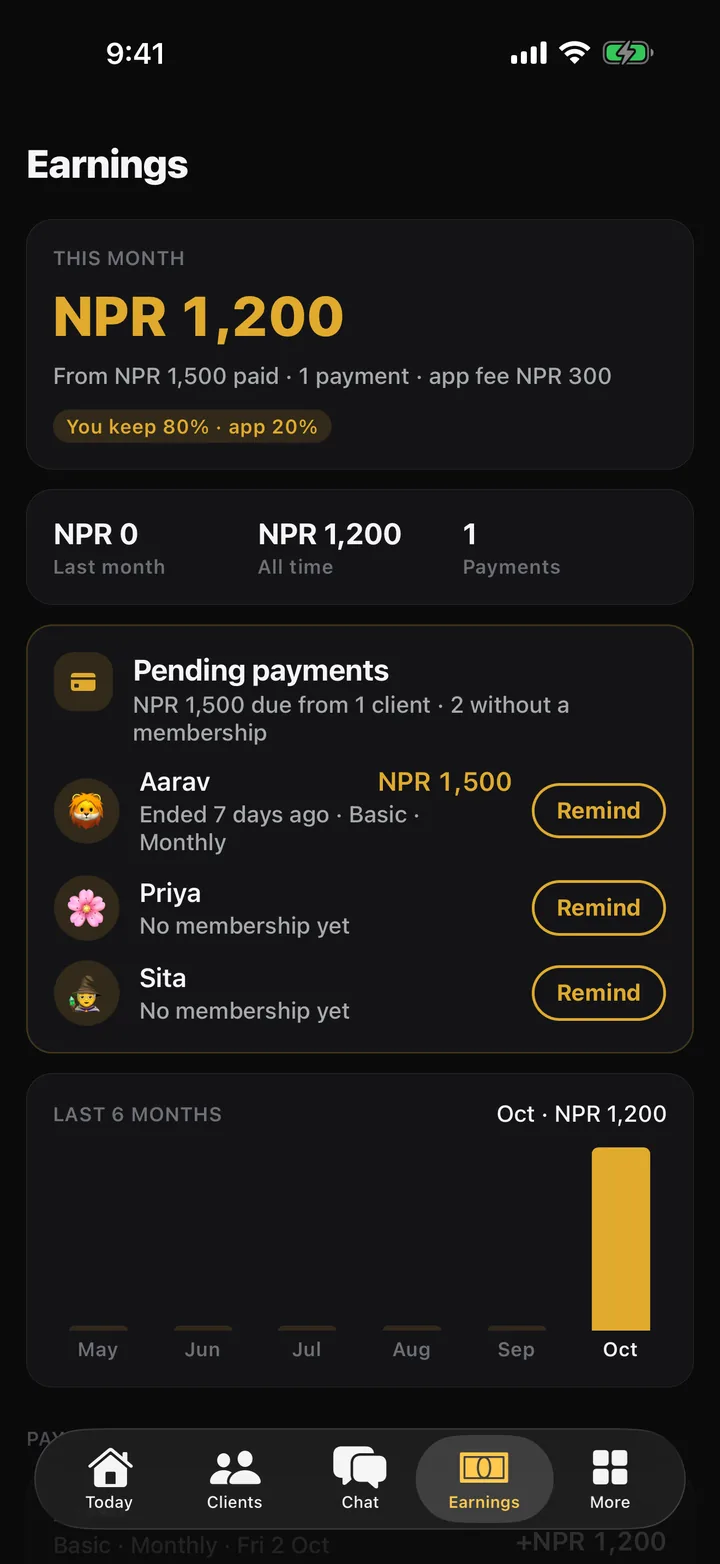
Your clients, their weeks, their payments and your share of them, on your phone. The plan builder, classes, videos and coupon codes are in the same app.
- TodayHow each client is doing this week: on track, needs a push, or falling behind, and why. Pending payments and memberships ending soon, with a Remind button that messages the client.
- AnalyticsPer client, where they are lacking: workouts, meals, calories, protein, sleep, steps, weight. Their workouts by date in normal and advanced views.
- EarningsYour share of what clients pay, month by month. The split is set by your gym and shown to you in the app, not hidden in a spreadsheet.
- Classes and pricesPublish group classes and one-to-one sessions at your own rates in NPR. Members book in the app and get a reminder an hour before.
- Coupon codesGive out a code. A member who enters it at sign-up lands in your client requests, and the discount comes off their membership at checkout.
- Videos and plansRecord form once, attach it to any exercise, and every client sees it. Draft a week with AI from a goal, then change anything.
Run the gym from the web
The gym's own panel lives at maxguru.co. Members and their memberships, plans and prices, payments, coaches and their split, announcements to every phone, and reports.
- Members, memberships and renewals
- Plans and prices in NPR
- eSewa and front-desk payments
- Coach split: a percentage or a fixed amount
- Announcements as push notifications
- Earnings overview and AI reports
The membership is the subscription
There is no app fee for members. Your gym sets its plans, and paying for one unlocks the app. A coach's coupon code at sign-up or checkout takes the discount off the price.
Get Max Guru
Same app, same account, on both. Or use it in the browser: sign in on the web. New here? Create an account and add your trainer's code if you have one.