Your followers already trust you. Turn them into clients.
Post your Max Guru code on TikTok, YouTube or Instagram. Anyone who signs up with it lands in your client requests. Tap Accept, and they pay through the app and train on the plan you build. You coach everyone from one phone and see your share every month.
Already a coach here? Sign in. Members, the app is on the home page.
From a viewer to a client in three steps
No link-in-bio page, no DMs about payment, no spreadsheet of who paid. The code does the connecting and the app does the collecting.
1
You post your code
Put it in your bio, a pinned comment, a caption or a story. It is yours and it never changes unless you want it to.
kfx-mqvn-dwpyour code2
They sign up with it
A viewer installs Max Guru and enters your code at sign-up. They land in your client requests with their goal and stats, you tap Accept, and your coupon discount comes off their membership at checkout.
3
They pay, you earn
They pay inside the app with eSewa, or at the gym desk. Your share of every payment shows up in your Earnings tab, month by month.
Coach a hundred people without losing one
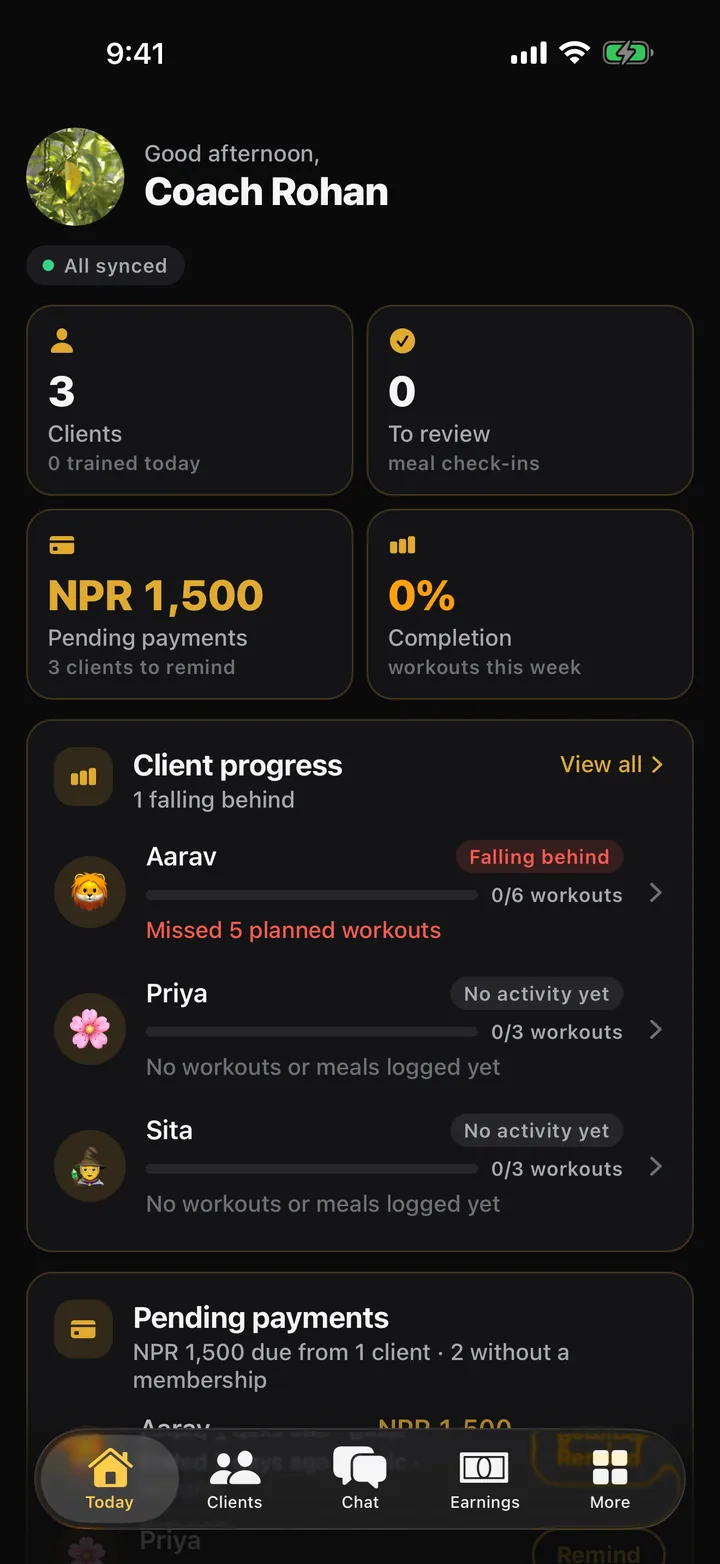
Your Today screen is a dashboard, not a chat list. It tells you who needs you before they drop off.
- Who is on track, who is slipping, and why
- Every client is sorted into on track, needs a push, or falling behind this week, with the reason: missed workouts, no meal check-ins, protein under target, weight stalled.
- One tap to nudge, one tap to chase
- Pending payments and memberships ending soon sit at the top with a Remind button that messages the client for you.
- Analytics per client
- Workouts, meals, calories, protein, sleep, steps and weight, and their workouts by date in a normal or advanced view.
- Chat with context
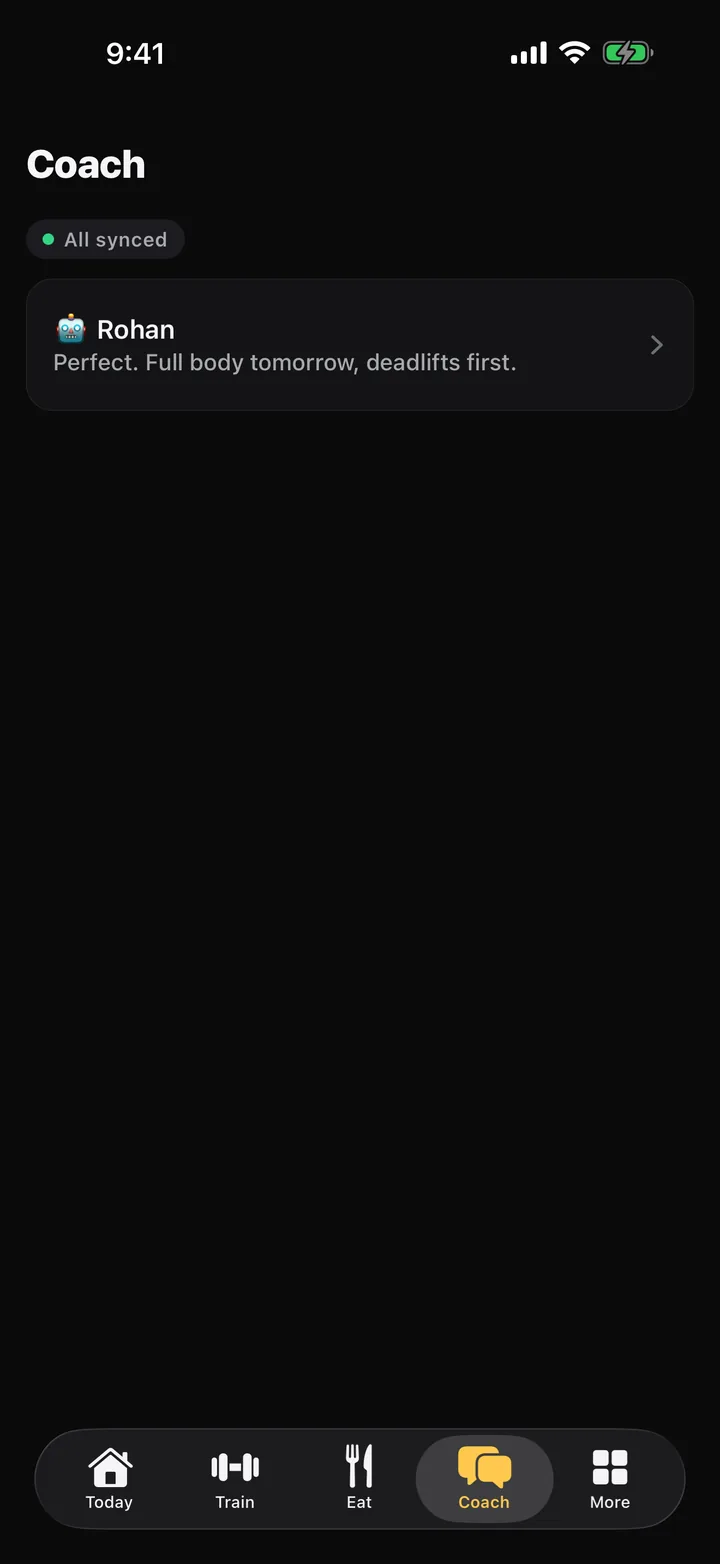
- Message any client with their plan and history one tap away. Calls and live sessions start from the same place.
Sell more than a plan
Everything a coach can charge for is built in, with your prices in NPR and nothing to set up outside the app.
- Weekly plans your clients follow
- Sunday to Saturday, sets, reps, weights and rest, from the exercise library or your own demo videos. Draft a week with AI from a goal, then change anything.
- Classes and one-to-one sessions
- Publish group classes and sessions at your own rates. Clients book in the app and get a reminder an hour before.
- Live sessions and video calls
- Run a live class or a one-to-one call inside the app. No Zoom link, no second app.
- Your exercise videos
- Record form once, attach it to any exercise, and every client sees your version in their plan.
- Meal plans with real check-ins
- Set calorie and protein targets. Clients photograph their plate; calories count only once you approve, so the numbers are honest.
- Coupon codes
- Your code brings new people to your requests and carries a discount you choose. Run a launch, reward loyal followers, or keep one code for everything.
What you earn, where you can see it
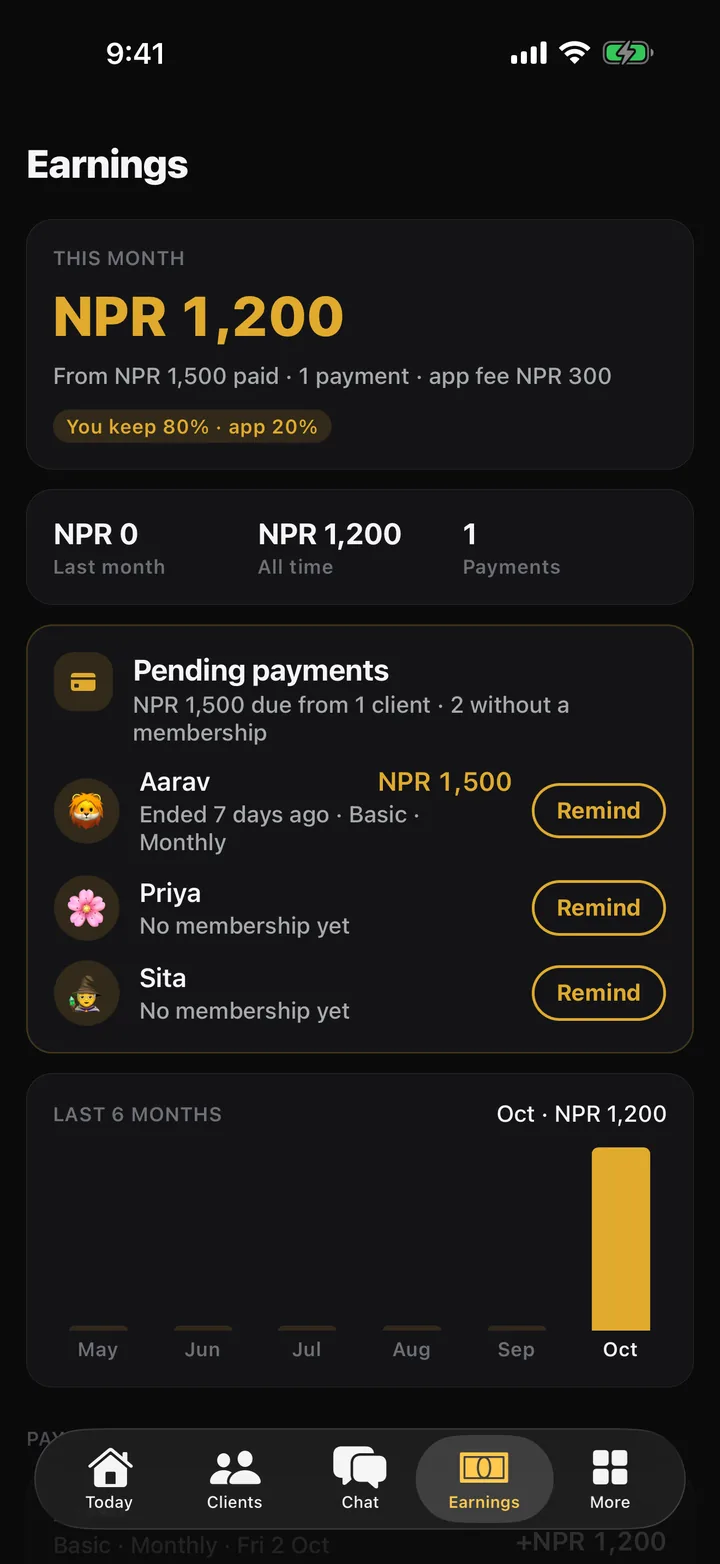
Clients pay the app. The app pays you your share. No chasing transfers, no screenshots of eSewa receipts.
- Earnings tab. Your share of what clients paid, month by month, with the pending payments that are still coming.
- A split you can see. The gym sets the split, as a percentage or a fixed amount, and the app shows you exactly what is yours.
- Payments people here actually use. eSewa app to app, or cash at the front desk, both recorded the same way.
- Renewals handled. Memberships ending soon are flagged on your dashboard before they lapse.
They find you inside the app too
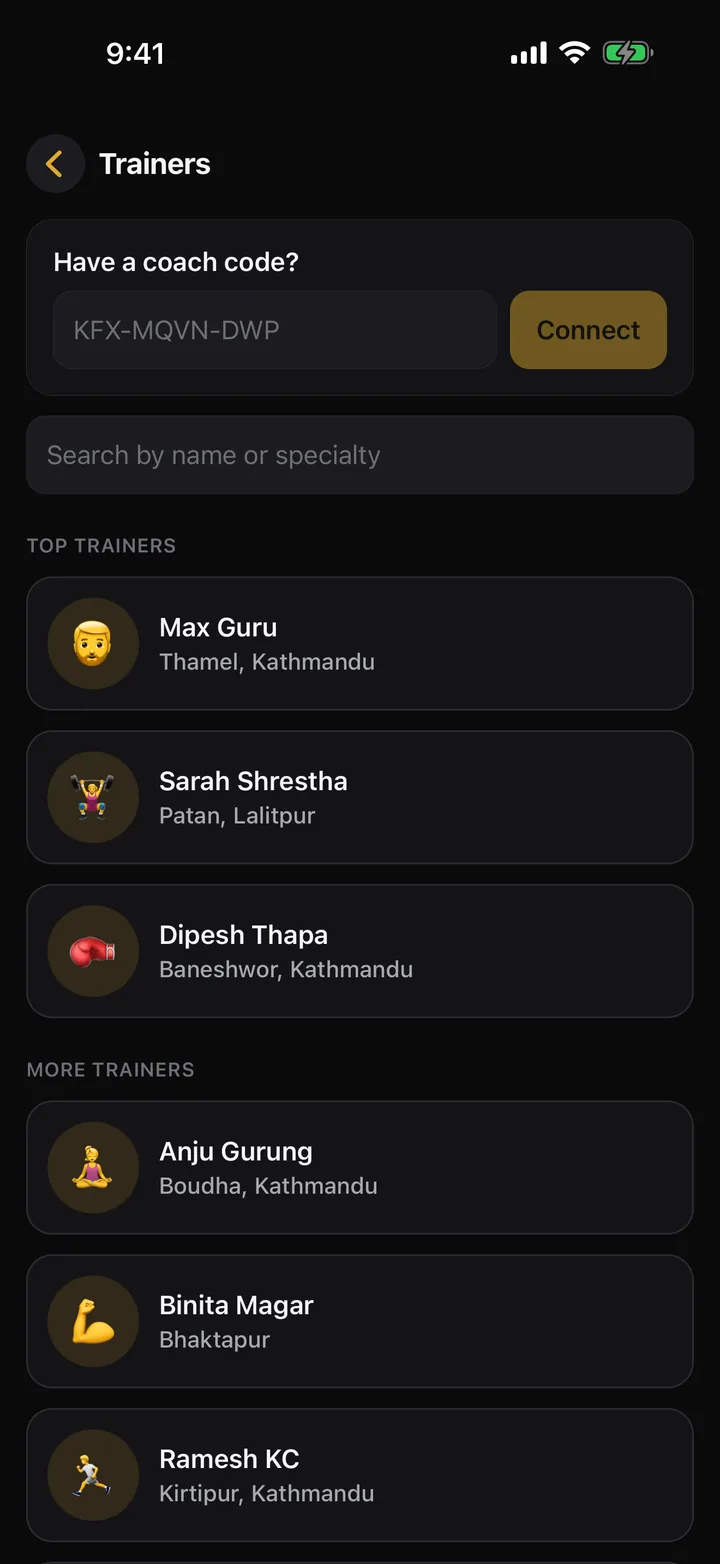
Members at your gym browse the Trainers directory, read reviews, and connect with a tap or your code. Your audience is not only online.
How to start
Coach accounts are set up by the gym, so the first step is a message. The rest is yours.
1
Get a coach account
Email us with your name, your gym and where your audience is. If your gym already runs on Max Guru, ask them to add you as a coach.
2
Set up your shop
Prices, classes, your exercise videos and your coupon code, all from the More tab in the app. Takes an evening.
3
Post the code
Bio, pinned comment, caption. Every sign-up with it lands in your client requests. Tap Accept.